Being verified Paypal account user has several advantages over unverified paypal account. The process of Paypal account verification is quite easy, you just need to link your Credit card in your Paypal account or use your Debit card to verify Paypal account (For US only).
However this simple process of Paypal account verification can become complicated for India users as owning Credit Card is still not under the reach of many India users and unfortunately Paypal doesn’t accept debit card of any indian Bank making account verification almost impossible for India users.
But there is one simple way to verify your Paypal account with HDFC Account. If you are HDFC account holder then you can take advantage of NetSafe a unique service provided by HDFC.
A Brief about HDFC NetSafe
NetSafe, is a unique online payment solution that offers you complete security while shopping on the
Internet. With NetSafe, you can now
shop online through a virtual credit card, without revealing your actual HDFC Bank Credit Card number. What’s more, you can now use your HDFC Bank Debit Card also for online purchases.
The Virtual
Credit Card created with NetSafe act like real Credit Card with only difference it has fix amount set by you and it can be used only one time.
How to Verify PayPal Account With HDFC NetSafe Virtual Credit Card
1. If you have HDFC Bank Account then do register for HDFC
Bank Netbanking
2. You must have HDFC Debit Card on your Name.
3. Now go to HDFCBANK.com and check “Netsafe/ Verified by Visa/ MasterCard SecureCode” and click on register.
4. On HDFC NetSafe Home Page Click on Register Button for New user. If already have Netsafe account then go to step 7
5. Complete the registration process. You must provide valid HDFC Debit Card Details while Registering for NetSafe Account.
6. Once your NetSafe account is created successfully. Do make sure you have atleast 1.95 USD ~ RS. 200 INR in your HDFC Bank Account.
7. Now Login to your HDFC NetSafe Account
8. We have to generate new Virtual Credit Card, For this Enter amount RS 200 ~ 1.95 USD and click on Go.

9. Now note down Virtual Credit Card Number, CVV2 & Card Expiry Date
10. Login to your Paypal Account
11. Click on Get Verified Link
12. Now enter Your First Name, Select Vista As Card Type, Enter Virtual Card Number in place of Card Number, set Card Epiry date and enter CVV2 number in place of
Security Code.

13. Click on Save and Continue
Here comes the tricky part, most of the users who have attempted to use NetSafe have failed to find Paypal code as you never get transaction statement of Virtual Credit Card in your actual HDFC Account statement and unfortunaly HDFC Customer Care wont help you in this case.
However your NetSafe account does report transaction details of all Virtual Credit Cards you have created and used online but the link to Transaction Details is not easily accessible. Follow below steps to get Paypal code from Netsafe Card Transaction Details.
14 Login to Your HDFC Netsafe Account
15. Now click on All Accounts/Services link

16. You will be greeted with Select to Pay Page. At bottom of the page you have following links ,
Back, Card List, Txn. Details, Logoff

Click on Txn. Details, That’s link to access Transaction Details of All used Virtual Credit Cards
17. You can easily spot Paypal Verification code under Merchant column, note down that code.

18. Go back to your Paypal Account and again click on get Verified Link
19. Now Enter 4 digits Paypal Code which you have got from step 17 and click on Submit.

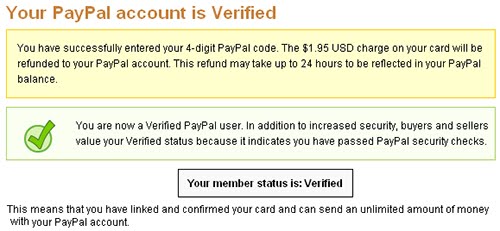
20. You will be greeted with Your Account is Verified Now.

That’s you have done it, Now you can enjoy features of PayPal Verified Account.